%20scale(17.5000)%22%20opacity%3D%220.3%22%20fill%3D%22none%22%20stroke%3D%22%23fff%22%20stroke-width%3D%222.2%22%20stroke-linecap%3D%22round%22%20stroke-linejoin%3D%22round%22%3E%3Cpath%20d%3D%22M11%2015h2a2%202%200%201%200%200-4h-3c-.6%200-1.1.2-1.4.6L3%2017%22%20%2F%3E%0A%20%20%3Cpath%20d%3D%22m7%2021%201.6-1.4c.3-.4.8-.6%201.4-.6h4c1.1%200%202.1-.4%202.8-1.2l4.6-4.4a2%202%200%200%200-2.75-2.91l-4.2%203.9%22%20%2F%3E%0A%20%20%3Cpath%20d%3D%22m2%2016%206%206%22%20%2F%3E%0A%20%20%3Ccircle%20cx%3D%2216%22%20cy%3D%229%22%20r%3D%222.9%22%20%2F%3E%0A%20%20%3Ccircle%20cx%3D%226%22%20cy%3D%225%22%20r%3D%223%22%20%2F%3E%3C%2Fg%3E%3Cg%20transform%3D%22translate(90.0%2090.0)%20scale(17.5000)%22%20opacity%3D%221%22%20fill%3D%22none%22%20stroke%3D%22%23fff%22%20stroke-width%3D%222.2%22%20stroke-linecap%3D%22round%22%20stroke-linejoin%3D%22round%22%3E%3Cpath%20d%3D%22M11%2015h2a2%202%200%201%200%200-4h-3c-.6%200-1.1.2-1.4.6L3%2017%22%20%2F%3E%0A%20%20%3Cpath%20d%3D%22m7%2021%201.6-1.4c.3-.4.8-.6%201.4-.6h4c1.1%200%202.1-.4%202.8-1.2l4.6-4.4a2%202%200%200%200-2.75-2.91l-4.2%203.9%22%20%2F%3E%0A%20%20%3Cpath%20d%3D%22m2%2016%206%206%22%20%2F%3E%0A%20%20%3Ccircle%20cx%3D%2216%22%20cy%3D%229%22%20r%3D%222.9%22%20%2F%3E%0A%20%20%3Ccircle%20cx%3D%226%22%20cy%3D%225%22%20r%3D%223%22%20%2F%3E%3C%2Fg%3E%3C%2Fsvg%3E "LIVY: hand-coins icon in halftone dots")
LIVY, HOA finance app
LIVY, HOA finance app, is a product design case: LIVY is an MVP web app that gives a homeowner association board one view of the association's money, from bank accounts and the budget to members. Pavlo Zhydkykh designed the MVP for a client in 2023: 54 wireframes, 49 UI frames, the onboarding and a library of 146 components.
Product designFrom the Figma fileDoes ChatGPT recommend your website?
Free report in 48 hours · 5 AI engines
- Product
- HOA finance
MVP - Users
- HOA
boards - Work
- MVP app
design - Year
- 2023
- Stage
- Wireframes to
UI - Figma
- 103
frames
Key takeaways
- Pavlo Zhydkykh designed the LIVY MVP in two passes: 54 wireframes of the whole product, then 49 UI frames in the final look.
- A homeowner association is a private organization that governs a housing community, collects dues and sets rules for the residents[1].
- A minimum viable product has just enough features to be usable by early customers, who then give feedback for the next versions[2].
- The first LIVY dashboard asks the board to connect a bank account, set a budget and invite HOA members: empty states like this are common during onboarding in complex applications[5].
- The LIVY library holds 146 components on an 8 px spacing grid: inputs, buttons, dropdowns, toasts, typography, and brand and system colours.
What is a homeowner association?
A homeowner association (HOA) is a private organization that governs a housing community, collects dues from the owners and sets rules, run by a board of directors. LIVY gives that board one view of the HOA's money, and Pavlo Zhydkykh designed the MVP of the app, from wireframes to the final UI.
Wikipedia: Homeowner association

“I start an MVP from the first screen a user sees. For an HOA board, that screen shows the money and what is late.”
Scope
What Pavlo did
- 01
Wireframes of the whole MVP
- 02
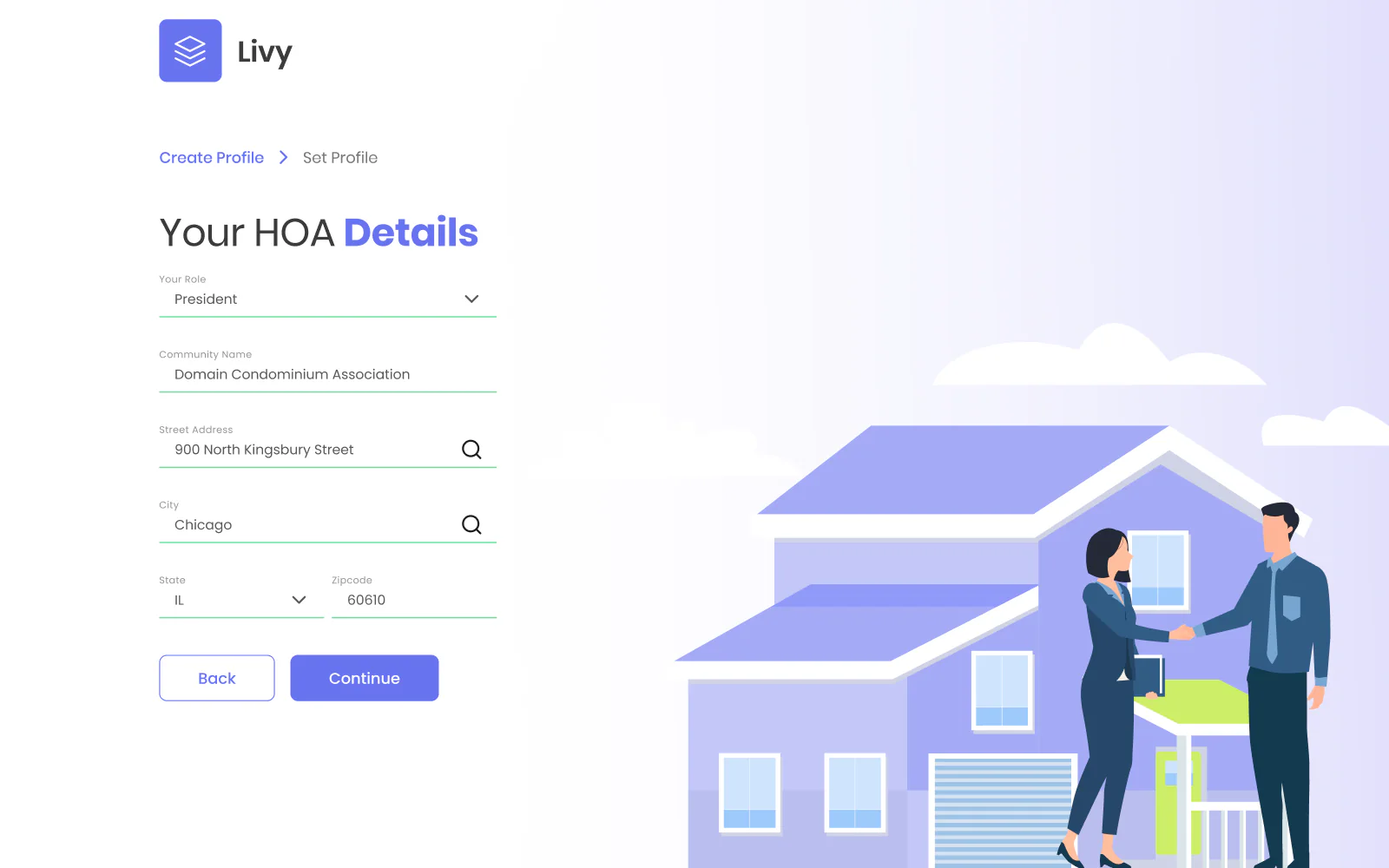
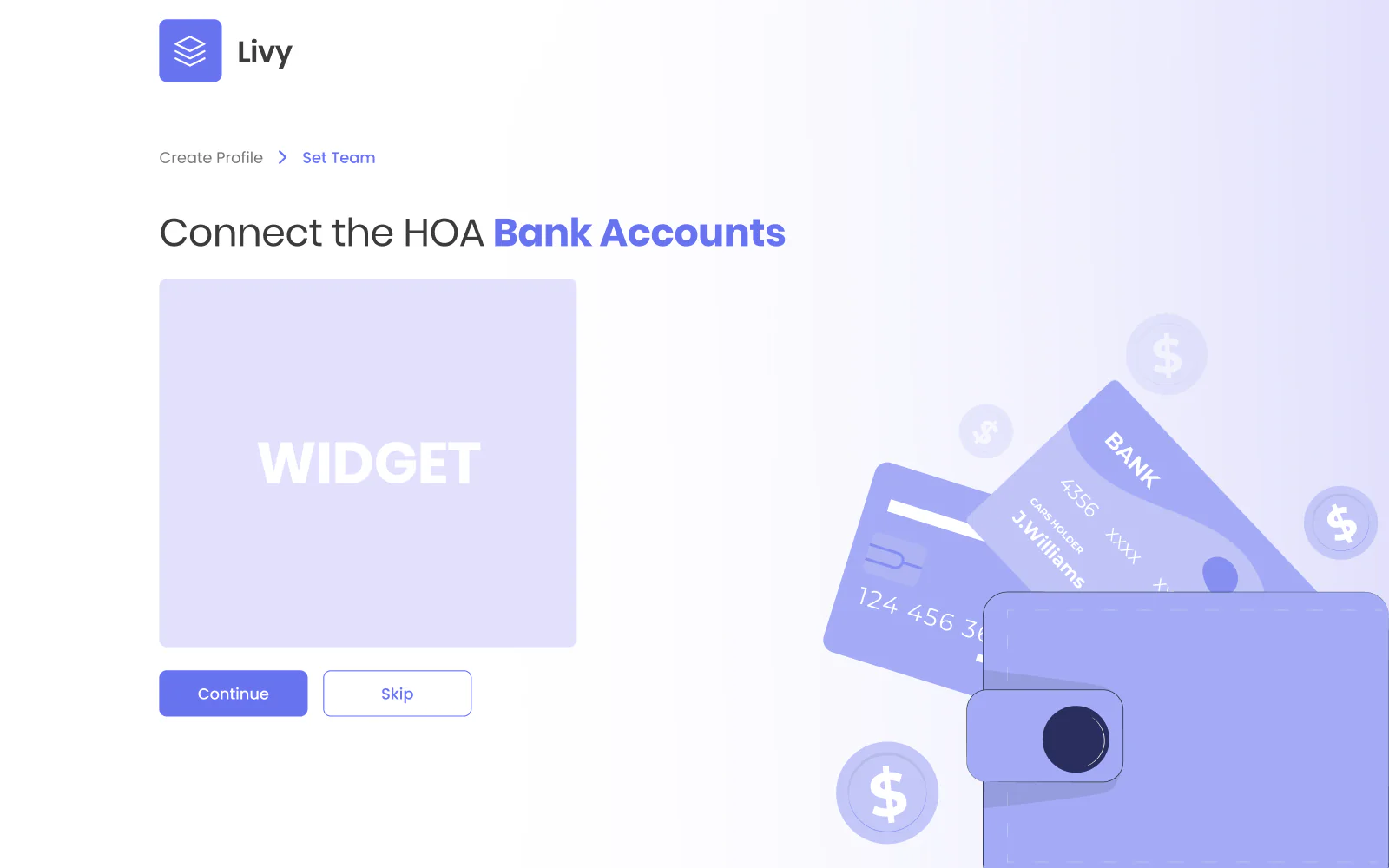
Onboarding: HOA details, profile, team and bank link
- 03
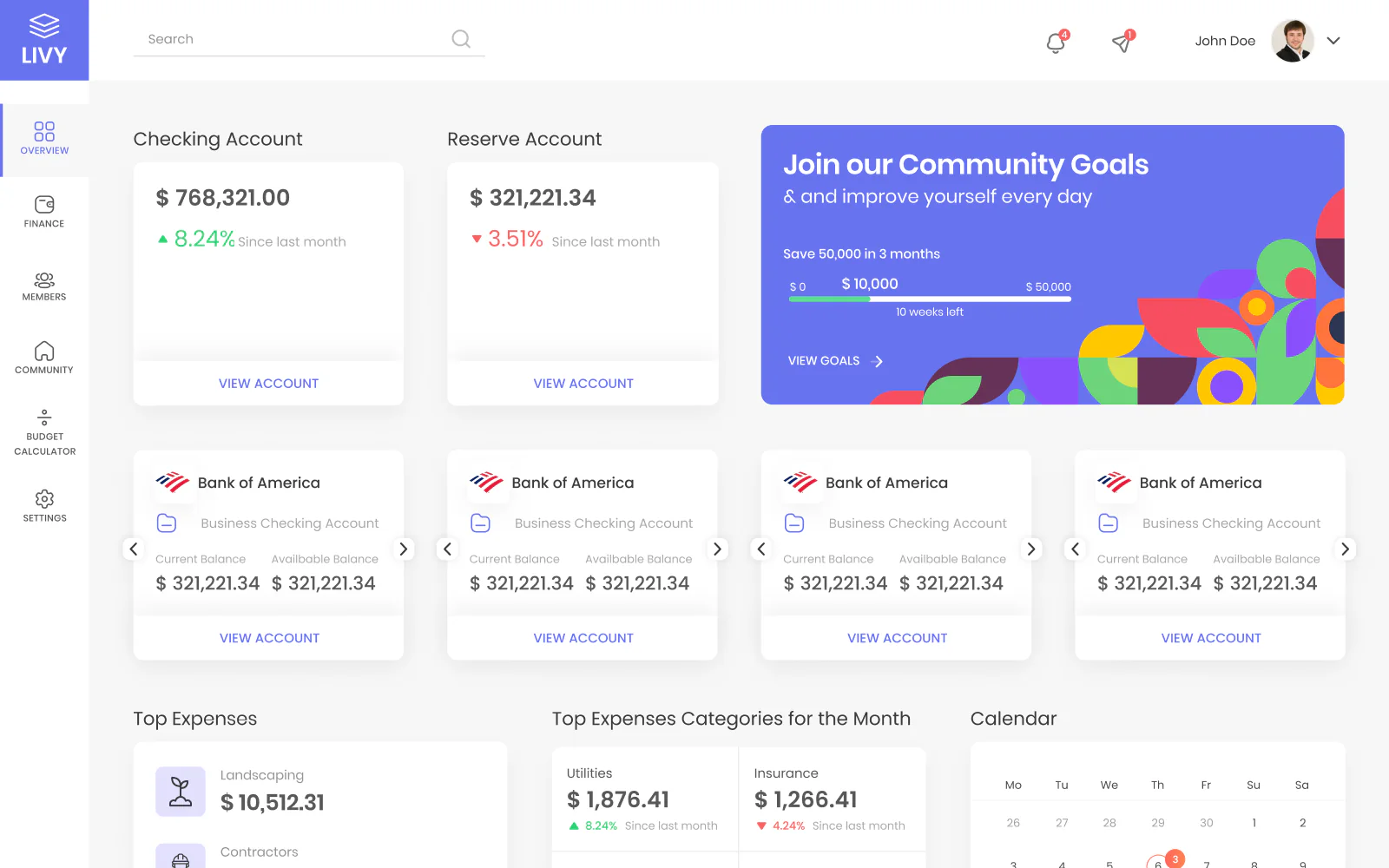
Dashboard widgets for accounts, revenues and expenses
- 04
Budget page with income and expense lines by year
- 05
Component library: inputs, buttons, toasts, widgets
- 06
Brand and system colours on an 8 px spacing grid
The Figma file
Screens from
the design file
Frames exported from LIVY in Pavlo's Figma file "LIVY - MVP" on 23 October 2026. Pick a screen below.
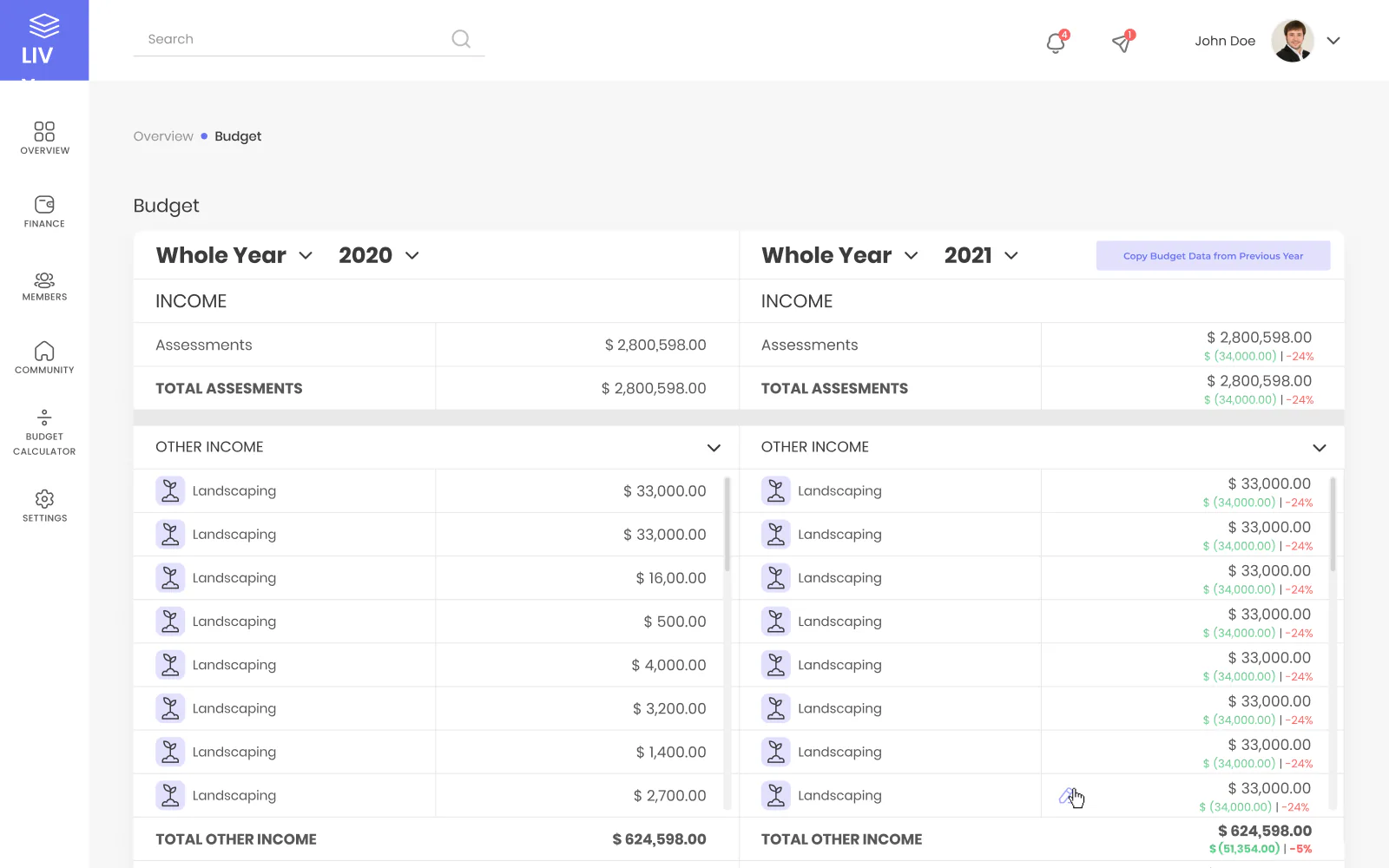
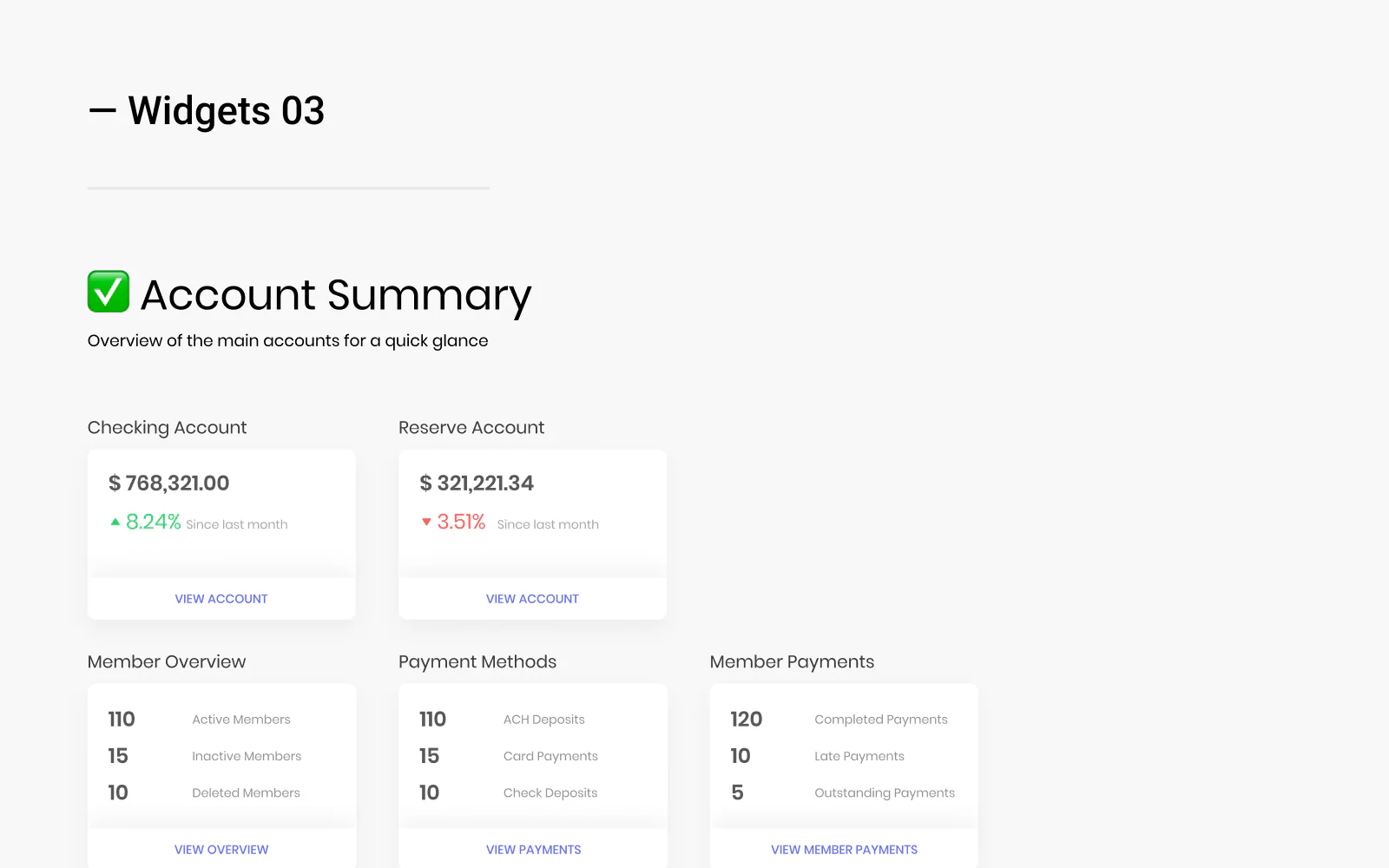
What the file holds
103 screen frames across 2 sections of the file, counted in Figma. States count as frames: an empty list, an error, a success toast.
Checklist
6 widgets an HOA board dashboard needs
The widgets specified in the LIVY component library, each with a note on what the card shows. The same list fits any HOA finance dashboard.
1. Account summary
The main HOA bank accounts at a glance, such as checking and reserve, with the current and the available balance.
2. Revenues and expenses
Income this month, mostly HOA fees, next to the money paid out, with progress against the expected amount.
3. Top expenses
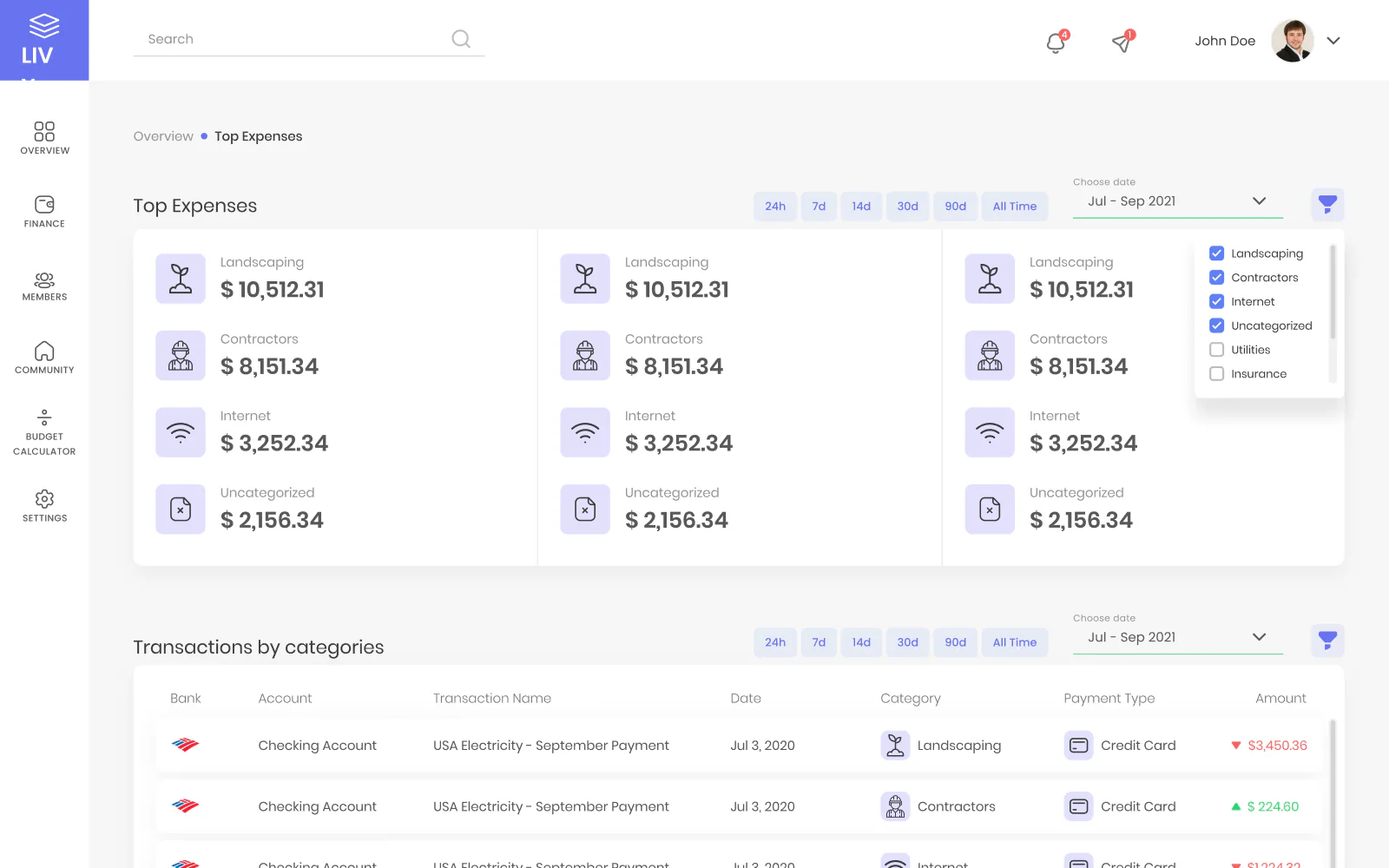
This month's expenses by category, such as landscaping, utilities and insurance, with the transactions behind each category.
4. Budget tracking
A traffic light status that shows whether the HOA is on track or behind, overall or by line item.
5. Late payments
The members who have not paid dues this month, in one list the board can act on.
6. KPIs and P&L
High-level numbers, payments received and expenses paid out, plus a line chart of income against expenses for a chosen period.
Fit check
Is an MVP design project like LIVY
right for you?
A good fit if
- You have a product idea for one group of users, such as HOA boards, and need the MVP designed before the build.
- You want wireframes of the whole product first, so the flows are agreed before the visual design starts.
- Your engineers need a component library with spacing, type and colour rules, not only finished screens.
- The product handles money: bank accounts, budgets and dues, and every number needs a clear place on the screen.
Not the right fit if
- You need the app built: Pavlo designs the product in Figma, and the client's engineers build the app.
- You need a marketing website on Webflow: Pavlo builds websites only on Framer and Astro + Sanity.
Compared
Wireframes and UI design: the two passes of the LIVY file
Pavlo designed LIVY in two passes. The wireframes map the whole MVP; the UI design gives the key screens the final look.
| Criterion | Wireframes | UI design |
|---|---|---|
| Frames | 54 | 49 |
| Purpose | Map every flow: what each screen holds and in which order | The final look: colour, type, widgets and states |
| Covers | Onboarding, dashboard, members, payments, statements, team, budget | Onboarding, dashboard widgets, top expenses, budget, budget calculator, members |
| Member side | Statements, payments and notifications for HOA members | A members list where the board approves or declines new members |
| Content | Placeholder titles such as "Expense 1 Title" | Sample amounts, categories and dates |
How it works
How Pavlo designs
an MVP like LIVY
The order Pavlo usually follows on an MVP. This is his working method, not a dated log of the LIVY project; the stages match what the LIVY file holds.
| # | Step | When | What happens | You get |
|---|---|---|---|---|
| 01 | Map the MVP | First | Who signs up, what the board needs to see first and which screens the first version needs. | A screen list for the MVP |
| 02 | Wireframes | After the screen list | Every flow in low detail: onboarding, dashboard, members, payments, team and budget. On LIVY, 54 wireframes. | Agreed flows before any styling |
| 03 | Component library | Before and alongside the UI | Inputs, buttons, dropdowns, toasts, type and colours on an 8 px grid. On LIVY, 146 components. | One source for every screen |
| 04 | UI design | After the wireframes | The final look of the key screens: onboarding, dashboard widgets, top expenses and the budget. On LIVY, 49 UI frames. | Screens ready for the build |
| 05 | Widget specs | With the UI | A note per widget on what the card shows and where the card links to. | Specs the engineers can follow |
| 06 | Handoff | Last | UI design, wireframes and components on separate pages of one Figma file. | A file the engineers build from |
In their words
MVP and HOA design, in the words
of the docs and Pavlo's clients
Word for word, with the source linked: research, official documentation and the people Pavlo Zhydkykh has worked for.
“The board of directors makes decisions regarding the HOA, including management of the HOA's finances, protecting the HOA's real and intangible assets (generally the amenities provided which were the basis for inducing people to purchase lots), and enforcing the governing documents.”
“A minimum viable product has just enough core features to effectively deploy the product, and no more.”
“A design system is a complete set of standards intended to manage design at scale using reusable components and patterns.”
“One of the best contractors I have worked with. Really thoughtful about communication. Went above and beyond in delivering the results that our team needs. Would 100% hire again for our projects.”
“Pavlo was a pleasure to work with on this project. The web and mobile designs he created were amazing. His communication was prompt which made for a smooth project. I highly recommend his services.”
“He's amazing in what he contributes, both design-wise and also from the ideas.”
FAQ
Questions about
the LIVY project
Still unsure? Ask your AI about Pavlo Zhydkykh:
Q.01What did Pavlo Zhydkykh design for LIVY?
Pavlo designed the MVP of LIVY, a finance web app for homeowner association boards, in Figma: 54 wireframes of the whole product, 49 UI frames in the final look and a library of 146 components.
Q.02Who is LIVY for?
The HOA board. During onboarding a board member can invite the vice president, secretary, treasurer and community manager to the team. The wireframes also map the screens where HOA members see statements and pay dues.
Q.03How does onboarding work in LIVY?
A new user signs up with email or Google, confirms the email with a code and adds the HOA details: role, community name and address. Then the user creates a new HOA or joins an existing one, invites colleagues and connects the HOA bank accounts, or skips that step for later.
Q.04What does the LIVY dashboard show?
The balance of each linked bank account, revenues and expenses this month, a community savings goal, top expenses by category and KPI cards. A budget calculator projects next year's budget or the rest of this year's expenses, and the board can add widgets from a modal.
Q.05Does LIVY have a design system?
Yes, a library of 146 components: icons, inputs, buttons, dropdowns, checkboxes, radio buttons, toasts, typography, brand and system colours, elevation and widget specs. Spacing follows an 8 px grid, with 4 px when needed.
Q.06Who builds the LIVY app from the design?
Pavlo designed LIVY for a client in 2023, and the client's engineers build the app. The LIVY case shows the Figma file: the wireframes, the UI and the component library.
About the author
Pavlo Zhydkykh
Pavlo Zhydkykh is a web designer and developer in Eastern Europe who has built websites for AI, fintech and B2B startups since 2016, designing and building each project himself on Framer or Astro + Sanity. Clients include MStudio Asia, Silicon Data, Inturai, Accolade Pro, NimbleStax and Sancts.
- Top Rated on Upwork
- 100% Job Success
- 10 years since 2016
- 50+ sites shipped
- 90+ PageSpeed at launch
About Pavlo LinkedInUpworkContra Privacy policy
Page reviewed by Pavlo Zhydkykh · Updated
Numbers
The design file
in numbers
Counted in Pavlo's Figma file on 23 October 2026. The file is private, so these numbers have no public link.
- Screen frames: wireframes and UI
- 103
- Wireframes of the MVP
- 54
- Components in the library
- 146