How to add a blog to your Framer site: CMS setup, templates, SEO settings and publishing, step by step.
Written by

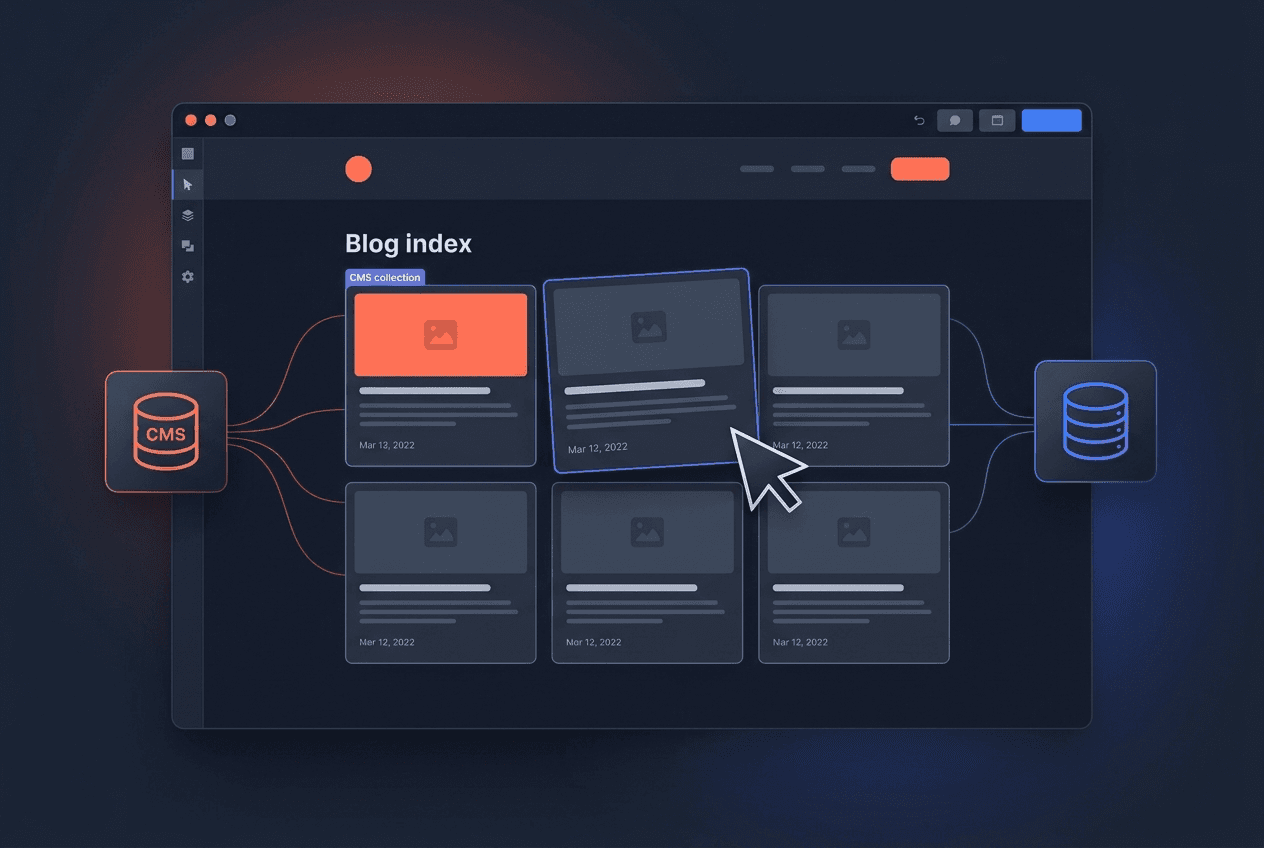
If you want to add a blog to your Framer website, the good news is that everything you need ships with the platform — no plugins, no third-party CMS, no code. The better news: done properly, the whole setup takes about an hour. In this guide I'll walk through the exact steps I use on client projects, from creating the CMS collection to publishing your first SEO-ready post.
Key Takeaways
Framer has a built-in CMS, so adding a blog means creating a collection, a listing page and a detail template — no external tools required.
The fastest route is Framer’s page setup: a new page backed by a CMS collection generates the listing and template together.
Treat the CMS fields as your content model: title, slug, date, thumbnail, body and SEO fields at minimum.
SEO is decided at setup: clean slugs, per-post meta titles and descriptions, and alt text on every image.
Start simple — you can add categories, authors and related posts later without rebuilding anything.
What you’re actually building
A blog on a Framer site is three things working together:
A CMS collection — the database of posts: one entry per article, with fields for everything a post needs.
A listing page (usually /blog) — the grid or list of post cards, connected to the collection so it updates itself.
A detail template — one design that renders every post at /blog/your-post-slug.
Once those exist, publishing a new article means filling in CMS fields — you never touch the design again. That’s the entire point: the layout is built once, and the content flows through it. If you want a deeper tour of collections, fields and references before you start, my complete Framer CMS guide covers the system end to end.
A blog is just a CMS collection with good templates — everything else is polish.
How to add a blog to Framer, step by step
Here is the process I follow on real client builds:
Create the CMS collection. In the editor, open the CMS panel and add a new collection called “Blog”. Framer creates default fields — keep Title and Slug, then add the rest in step 2.
Model your fields. At minimum: Date, Thumbnail (image), a short Description for cards and meta fallbacks, and rich-text Content for the body. Add Author name and photo if more than one person will write.
Add the listing page. Create a /blog page and connect a grid or stack to the collection. Each card should pull Thumbnail, Title, Date and Description — design one card, and the CMS repeats it for every post.
Design the detail template. Framer generates a template page for the collection. Lay out the hero image, title, date, author block and the rich-text Content field. Style headings, lists and quotes once — every future post inherits it.
Fill the SEO fields. In the template’s page settings, map the meta title and description to CMS fields so each post carries its own. Set the social/OG image to the post thumbnail.
Publish and test. Add one real post, publish, and check the live URL, the card on /blog, and how the link unfurls when shared.
For a visual walk-through of the same process, this 13-minute tutorial from Flux Academy is the best current video on the topic — Matt Jumper builds a complete CMS-driven blog from scratch: https://www.youtube.com/watch?v=2YBCdCZkT5Q
The SEO settings most people skip
Adding the blog is step one; making it rank is the part that pays. In practice, I’ve found four settings decide most of the outcome:
Slugs. Write them by hand: short, keyword-first, no dates. add-blog-to-framer beats how-to-add-a-blog-to-your-framer-website-2026-guide.
Per-post meta titles and descriptions. If every post shares the site default, Google writes its own — and it’s rarely flattering. Map them to CMS fields once and they take care of themselves.
Alt text on every image. Make it a required habit, not an afterthought. Describe what the image shows and work the topic in naturally.
Internal links. Every new post should link to at least two older ones, and at least one older post should be updated to link back. This is the cheapest authority-building there is.
Framer’s rendering is already fast and crawler-friendly out of the box, which is half the SEO battle won — I’ve broken down exactly why, and what remains on your plate, in my Framer SEO guide. And because page speed is a ranking factor, keep thumbnails lean; my Core Web Vitals on Framer guide shows how to keep a media-heavy blog at 90+.
Common mistakes I see on Framer blogs
Publishing with default slugs and blank meta descriptions — the “0 Mins Read, no description” look.
Uploading 4 MB hero images straight from a stock site, then wondering why LCP tanks.
Building category pages before there are ten posts. Structure follows content, not the other way round.
Writing five posts in week one, then nothing for six months. One good post a week beats a launch burst every time.
No internal links — every post an island. Search engines rank connected content.
Want an SEO-first Framer website?
Pavlo Zhydkykh builds fast, conversion-focused Framer websites with content systems that clients can actually run themselves — blog included, SEO wired in from day one. If that’s what your site is missing, get in touch and tell him about your project.
Related posts